Chess VIP is a free chess analysis tool that helps you analyze chess.com games
online. Upload your game and get instant engine evaluations, best moves, and visual
analysis.
Smart extension for analyzing and suggesting the best moves
on Chess.com

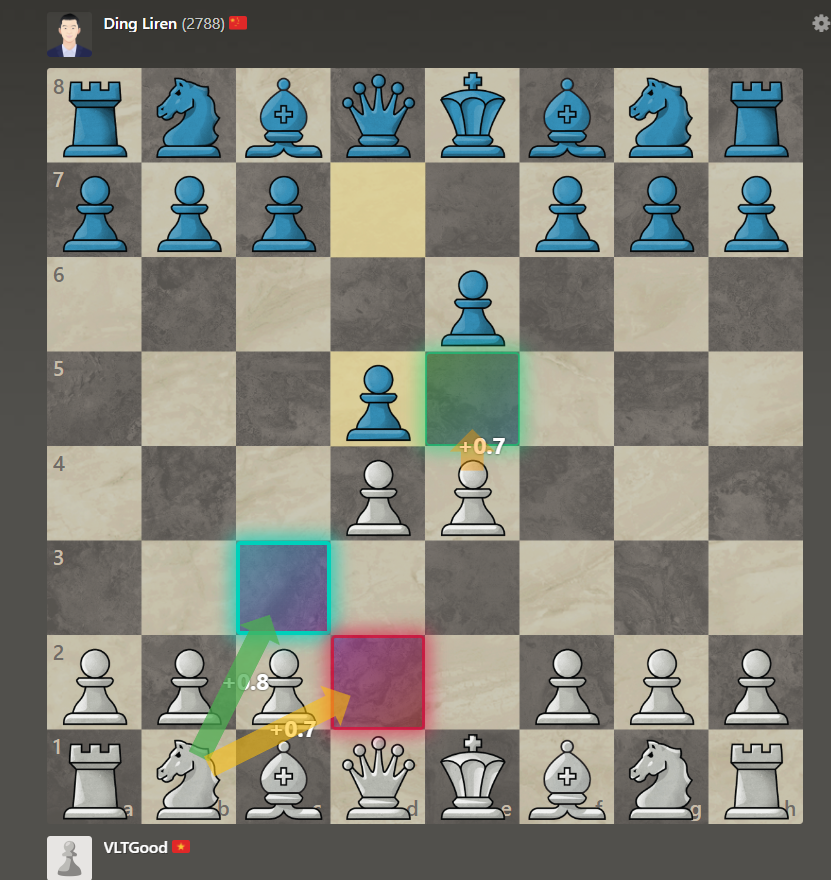
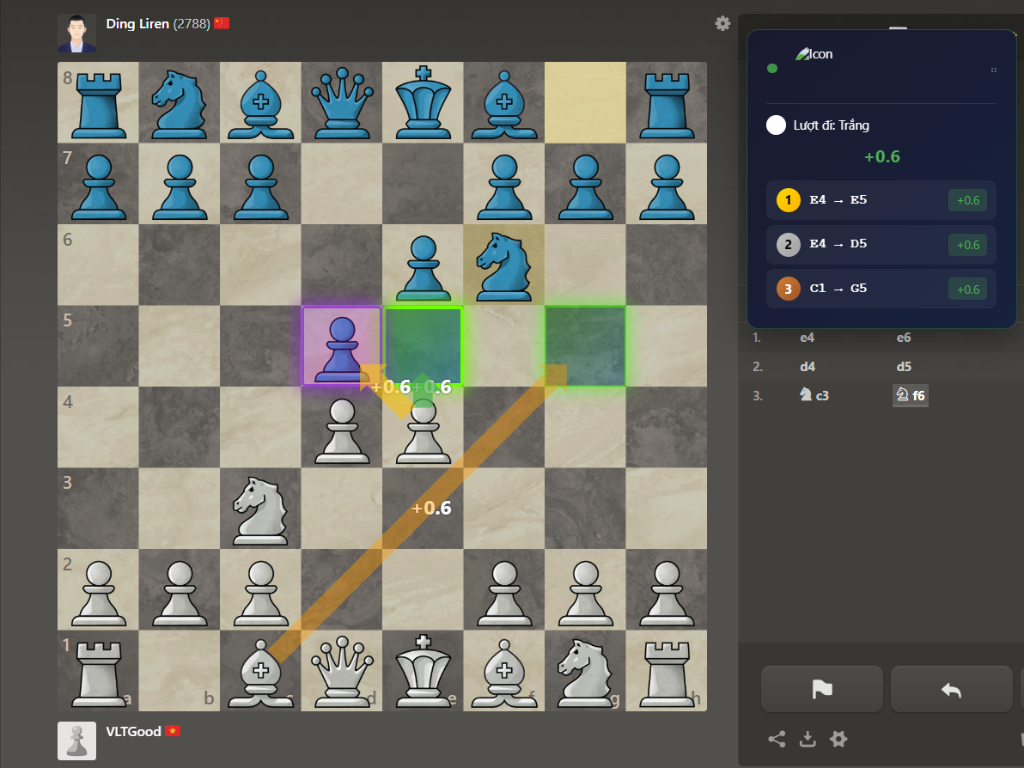
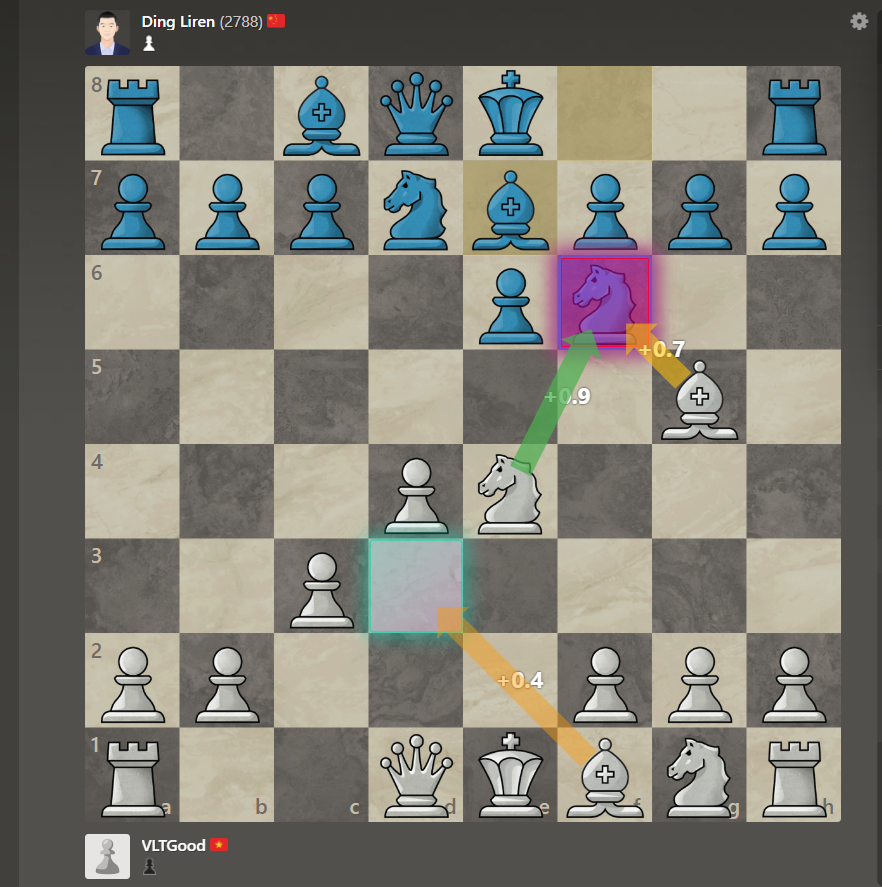
See how ChessVIP Pro helps you analyze chess games in real-time
The perfect tool to learn and improve your chess skills!
Control extension easily with your keyboard
Show or hide color highlights on the board
Show or hide move suggestion arrows
Tip: If not showing, press F5 to reload Chess.com
Real screenshots from Chess.com gameplay
Watch video to learn how to purchase
Zalo:
0827858831
Select package →
Transfer → Receive key via Zalo
Auto deposit via Momo, no waiting required
Invest in your chess skills
Get started in just 5 minutes
After download, extract and follow steps below. License Key is required to activate.
Note: If extension has errors, press F5 to reload Chess.com page!
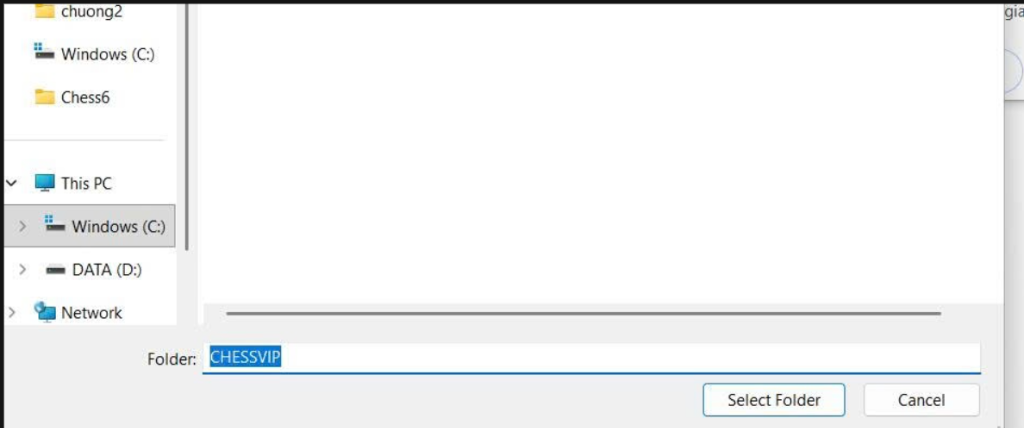
Click the download button above, then extract the ZIP file to a folder on your computer.
C:\CHESSVIP
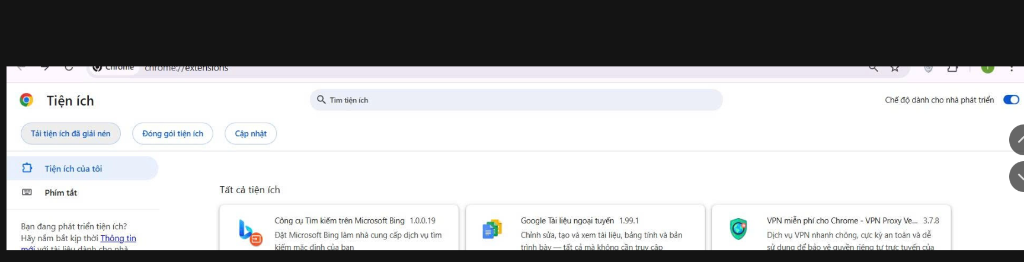
Open Chrome browser, type in address bar:
Enable "Developer mode" at the top right corner.

Click "Load unpacked" button, then select the extracted folder.

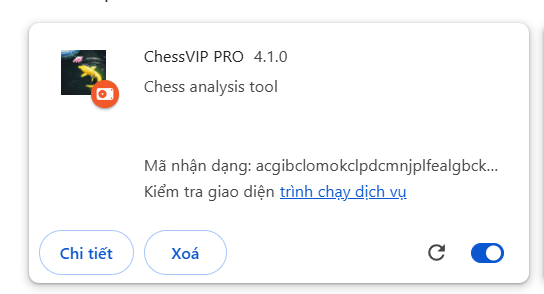
After loading the folder, ChessVIP PRO will appear in your extensions list. Make sure the toggle is ON (blue).
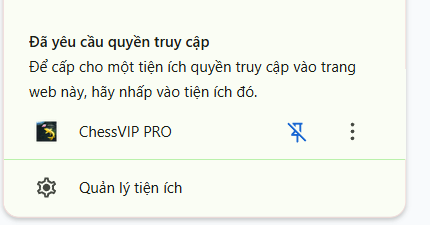
When you visit Chess.com, click the extension icon and allow it to access the site.

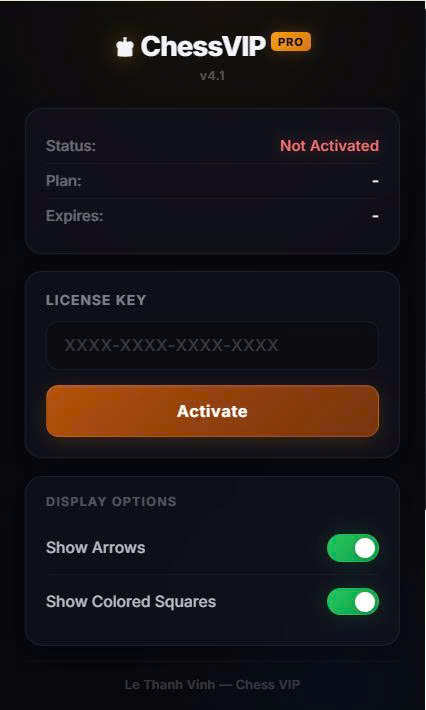
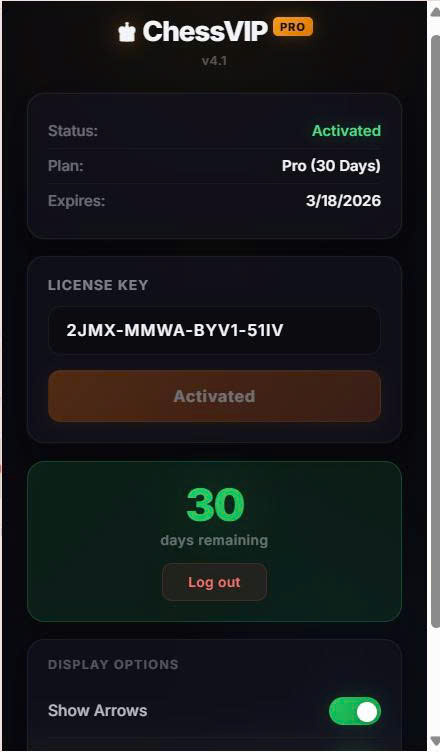
Click the extension icon, enter your License Key and click "Activate". When activated, you'll see your remaining days.


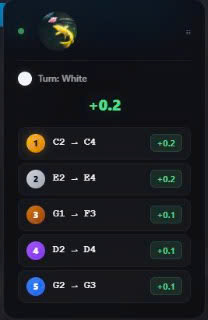
XXXX-XXXX-XXXX-XXXXOpen Chess.com and start a game. The analysis panel will automatically show top 5 move suggestions!
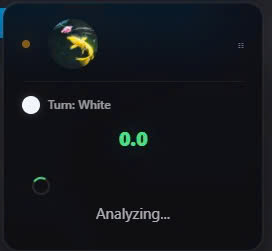
Analyzing position...
Top 5 move suggestions
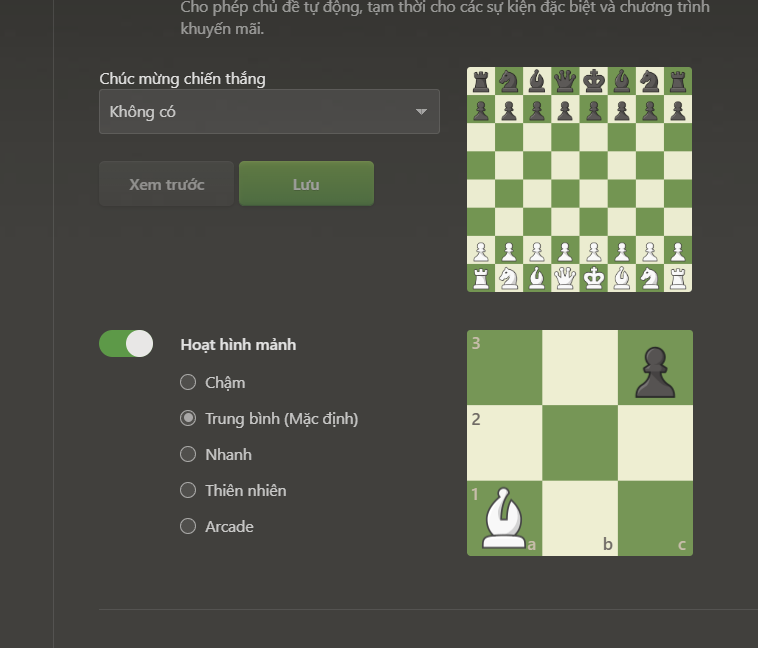
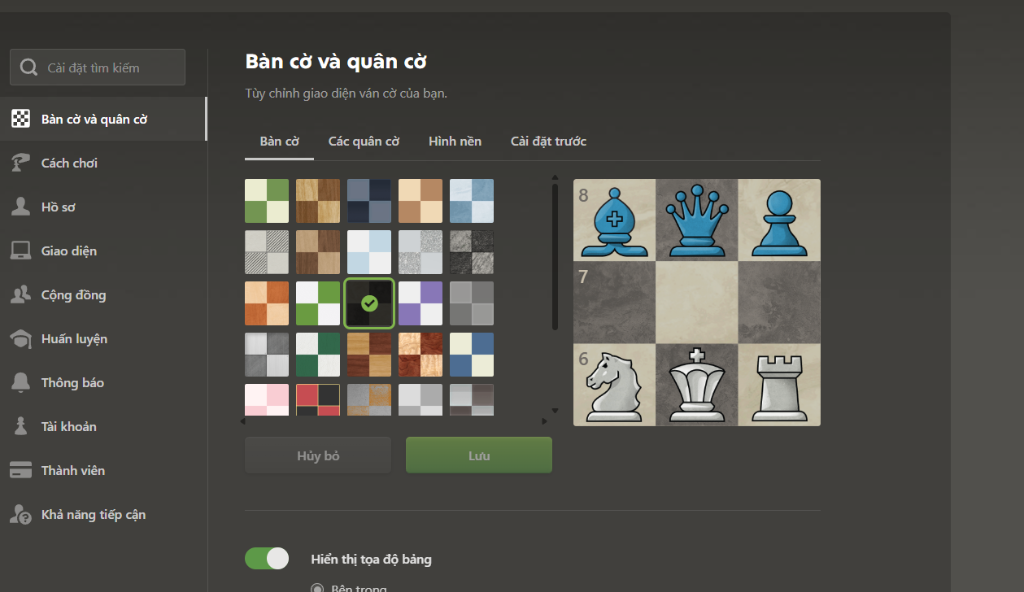
Go to Chess.com Settings > Board and Pieces, select "Medium (Default)"
You can customize the board appearance. If errors occur, reset to default settings

This extension functions as an advanced Chess Analysis Tool, automatically reading the current board position on Chess.com and performing real-time analysis to identify optimal move suggestions. The results are presented directly on the board using intuitive visual indicators, helping players understand strong continuations and positional ideas instantly. Perfect for players who want to improve faster or gain a competitive edge.
Completely safe! Extension runs 100% offline on your computer, no data sent externally. Clean code, no malware.
After payment, you'll receive the extension file and detailed installation guide. Just a few simple steps!
Each license key can only be activated on 1 device. Contact us for multi-device support.
Extension runs 100% offline and doesn't interact with Chess.com. It only reads the board and displays suggestions. However, using assistance tools in ranked games may violate terms - use responsibly for learning.
When key expires, extension stops working. You need to buy a new key. Contact Zalo 0827858831 for quick renewal!
Currently only supports Chrome on desktop (Windows, macOS, Linux). No mobile or tablet support.
Try these steps: